Controller Configuration for Modded GTA 5
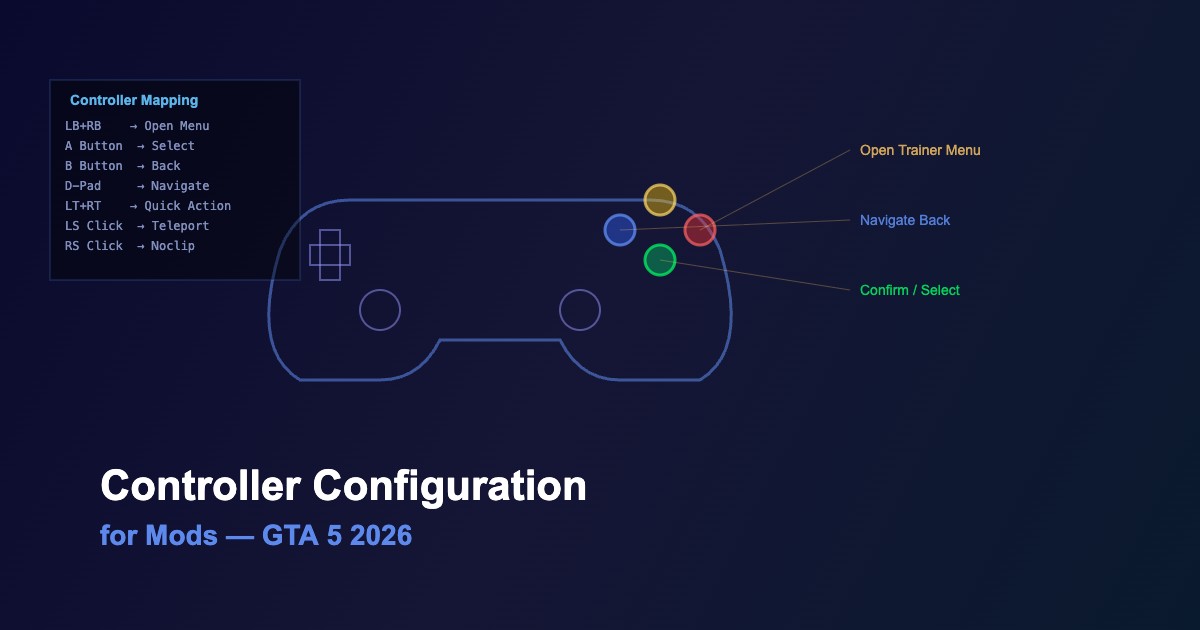
Using a controller with modded GTA 5 requires custom button mappings for trainers and mod menus. This 2026 guide covers setup for Xbox, PlayStation, and generic controllers.
Default Trainer Controller Bindings
| Action |
Menyoo |
Simple Trainer |
ENT |
| Open Menu |
RB + D-Pad Right |
LB + RB |
RB + Left |
| Navigate Up/Down |
D-Pad Up/Down |
D-Pad Up/Down |
D-Pad Up/Down |
| Select |
A |
A |
A |
| Back |
B |
B |
B |
| Left/Right |
D-Pad Left/Right |
D-Pad Left/Right |
D-Pad Left/Right |
How to Configure Controller Bindings
-
Locate the config file — each trainer has its own .ini or .xml in the GTA 5 root folder
-
Find the controller section — usually labeled
[CONTROLLER] or <Controller>
-
Change button values — use XInput button codes (see table below)
-
Set combo keys — most trainers support button combinations like
LB+RB
-
Save and test — restart GTA 5 and verify the new bindings
XInput Button Codes
| Button |
Xbox |
PlayStation |
Code |
| A / Cross |
A |
X |
XINPUT_GAMEPAD_A |
| B / Circle |
B |
O |
XINPUT_GAMEPAD_B |
| X / Square |
X |
□ |
XINPUT_GAMEPAD_X |
| Y / Triangle |
Y |
△ |
XINPUT_GAMEPAD_Y |
| LB / L1 |
LB |
L1 |
XINPUT_GAMEPAD_LEFT_SHOULDER |
| RB / R1 |
RB |
R1 |
XINPUT_GAMEPAD_RIGHT_SHOULDER |
Recommended Quick Action Mappings
-
LB + RB — open trainer menu (universal, easy to press)
-
LB + D-Pad Up — toggle god mode
-
LB + D-Pad Down — repair vehicle
-
RB + D-Pad Left — teleport to waypoint
-
LS + RS (both sticks) — toggle noclip mode
Troubleshooting
-
Controller not detected — ensure XInput drivers are installed; DS4Windows for PlayStation controllers
-
Buttons conflict — use combo keys instead of single buttons to avoid game control conflicts
-
Menu not opening — check that controller support is enabled in the trainer config file
-
Steam overlay interference — disable Steam controller configuration for GTA 5
-
Generic controllers — use x360ce to emulate XInput for non-Xbox controllers





Comments0
Sign in to leave a comment
No comments yet. Be the first to comment!